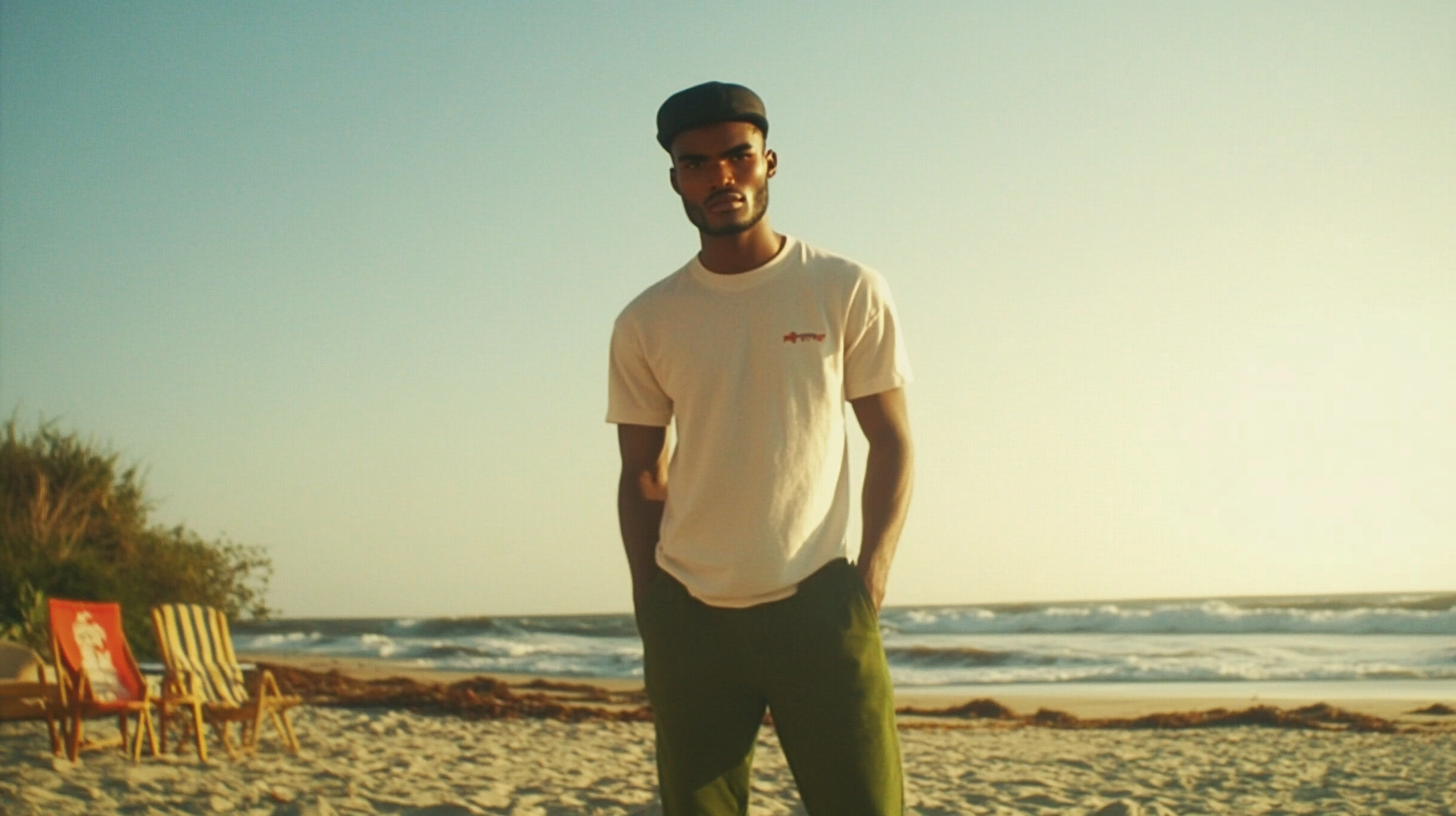
Create a Series of Visuals with the Same Character and Style Using Midjourney
These features are among the key strengths of Midjourney (especially character persistence). Here's how to use them to bring your visual stories to life.
These features are among the key strengths of Midjourney (especially character persistence). Here's how to use them to bring your visual stories to life.
To create a series of coherent visuals with the same character and style on Midjourney, it's essential to master two key parameters: –sref (style reference) and –cref (character reference). These parameters are codes added at the end of our prompt, preceded by two dashes (–), allowing us to control the style and character in our generated images.
Accessing the Discord Interface
Before starting, make sure to access Midjourney via the Discord interface, as this is where you can enter your prompts with the appropriate parameters.
Using the –sref Parameter
The –sref parameter allows you to set a style reference using an image URL. This reference image can come from various sources:
• A website
• Google Images
• An image you posted on Discord
For example, if you generated an image with a particular style that you wish to maintain, you can use its URL as a reference. By adding –sref followed by the URL in your prompt, Midjourney will adapt the style of your new images based on this reference.
Using the –cref Parameter
The –cref parameter is used to keep the same character across different images. Here's how to use it:
1. Generate a first image of the desired character: Create an image with the character you want to use in your series.
2. Retrieve the image URL: Click on the generated image in Discord and copy its URL.
3. Use the –cref parameter with the URL: In a new prompt, add –cref followed by the image URL.
4. Generate new images with the same character: Midjourney will use the character from your reference image in the newly generated images.
It is important to note that –cref works particularly well with images generated by Midjourney, but less so with real photos, probably to avoid inappropriate uses.
Customize the Character's Appearance with –cw
The –cw (character weight) parameter allows you to define the importance of the reference character in the image. By setting it to 0, you can further customize the character's appearance in your prompt. For example:
• –cw 0: The character will be less influenced by the reference image, allowing you to specify details like clothing.
• Example prompt: “White shirt, blue jeans –cref [Image URL] –cw 0”
Practical Example
To illustrate the use of these parameters, here's how you can place the same character in different situations using these 2 images (the character created in Midjourney and the style reference):
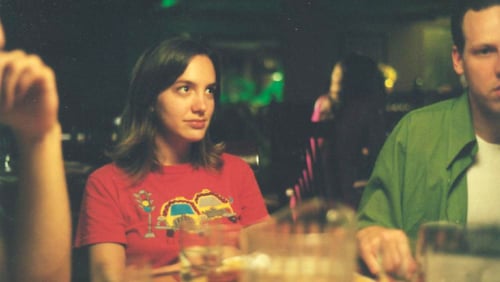
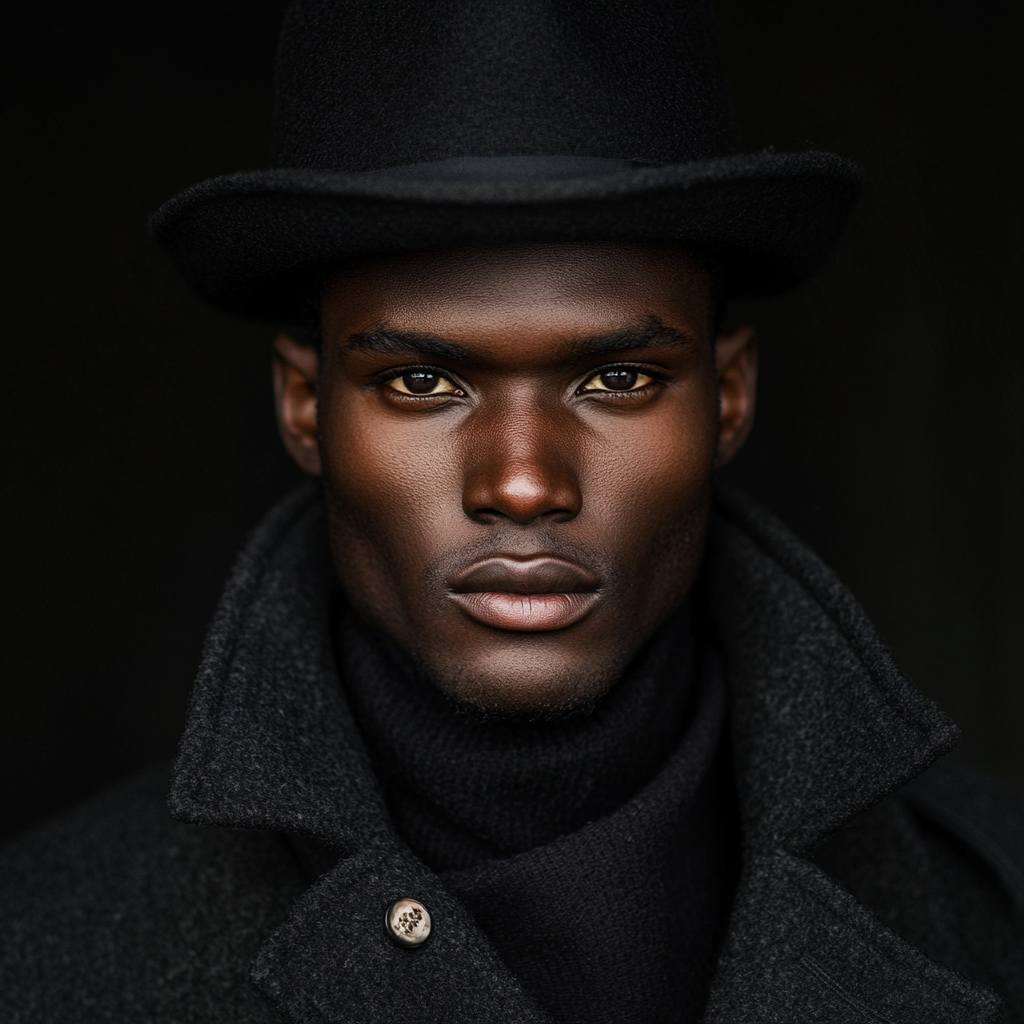
1. At the beach:
Prompt: “Man on the beach at sunset, white shirt, green pant –cref [URL] –sref [URL of the style] –cw 0 –ar 16:9”

2. In the mountains:
Prompt: “Man hiking in the mountains, red coat, yellow pant –cref [URL] –sref [URL of the style] –cw 0 –ar 16:9”

3. In a supermarket:
Prompt: “Man shopping in a supermarket, grey tshirt, black pant –cref [URL] –sref [URL of the style] –cw 0 –ar 16:9”

4. On the street:
Prompt: “Man walking in a busy city street, red hat, purple outfit –cref [URL] –sref [URL of the style] –cw 0 –ar 16:9”

5. In a car:
Prompt: “Man driving a car, white shirt, white pant –cref [URL] –sref [URL of the style] –cw 0 –ar 16:9”

By using these prompts, you'll get images where the character maintains their appearance while being placed in different environments. The result is visually coherent and allows you to create a series of images telling a story.
Conclusion
By combining the –cref and –sref parameters, you have the ability to tell coherent visual stories by maintaining the same character and style across different images. This feature is particularly useful for content creators, storytellers, and anyone looking to develop captivating visual narratives.
It becomes even more amazing if you use video generation tools from images such as Hailuo AI, Luma, HeyGen, or Kling. These platforms allow you to transform your series of images into animations, bringing your stories and characters to life in an even more immersive way.